
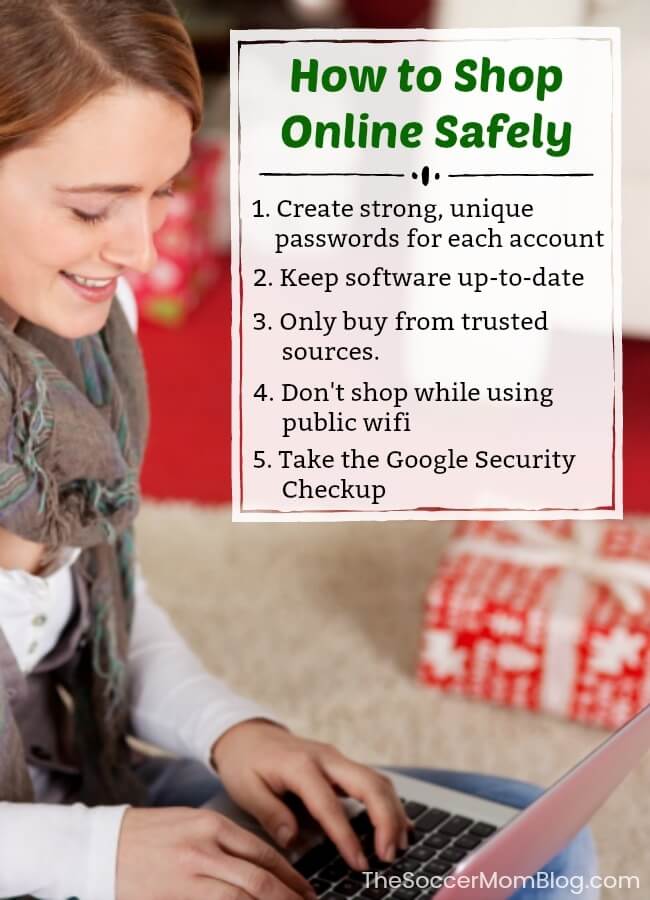
In today’s digital age, the convenience of online shopping and banking comes with its own set of risks. Cybercriminals are always on the lookout for opportunities to steal personal information and financial data. Therefore, staying safe online is paramount. Here are five essential ways to ensure your online shopping and banking activities remain secure.
- Use Strong, Unique Passwords and Enable Two-Factor Authentication
One of the simplest yet most effective ways to protect your online accounts is by using strong, unique passwords for each site. A strong password typically includes a mix of letters, numbers, and special characters. Avoid using easily guessable information such as birthdays or common words.
Additionally, enable two-factor authentication (2FA) wherever possible. This adds an extra layer of security by requiring not only a password and username but also something that only the user has on them, i.e., a piece of information only they should know or have immediately to hand, such as a physical token.
Example: Instead of using “John1234” as a password, opt for something like “J0hn!2#F9%”. Pair this with 2FA, which could involve receiving a code on your phone each time you log in.
- Shop and Bank on Secure Websites
Always ensure that the website you are using is secure. Look for “https://” at the beginning of the URL and a padlock icon in the address bar. The “s” in “https” stands for secure, indicating that the site encrypts your data.
Avoid entering sensitive information on websites that do not have these security features. Also, be cautious of websites with URLs that look slightly different from the legitimate ones; they might be phishing sites designed to steal your information.
- Use Reliable Security Software
Install reliable security software on your devices, including antivirus, anti-malware, and firewall applications. These programs help protect your devices from viruses, spyware, and other malicious attacks. Keep this software updated to ensure you have the latest protection against new threats.
Additionally, consider using a Virtual Private Network (VPN) when accessing the internet, especially on public Wi-Fi networks. A VPN encrypts your internet traffic, making it difficult for cybercriminals to intercept your data.
Example: Programs like Norton, McAfee, and Kaspersky offer comprehensive security solutions. VPN services such as NordVPN or ExpressVPN provide additional security, especially on public networks.
- Be Wary of Phishing Scams
Phishing scams are fraudulent attempts to obtain sensitive information by disguising as trustworthy entities in electronic communications. These scams often come in the form of emails or text messages that look like they’re from legitimate companies.
Always verify the source of any communication requesting personal or financial information. Do not click on links or download attachments from unknown or suspicious emails. If in doubt, contact the company directly using a known email or phone number.
Example: If you receive an email from “YourBank” asking you to update your password and the email looks suspicious, don’t click on any links. Instead, visit the official website of your bank by typing the URL directly into your browser or call their customer service to verify the email.
- Monitor Your Accounts Regularly
Regularly monitoring your bank and credit card statements can help you detect fraudulent activity early. Set up account alerts to notify you of any unusual activity. If you spot any unauthorized transactions, report them to your bank or credit card company immediately.
Additionally, consider using credit monitoring services that can alert you to any significant changes in your credit report, such as new accounts opened in your name or large purchases made without your knowledge.
Example: Most banks offer mobile apps that allow you to check your account balances and recent transactions quickly. Services like Experian, Equifax, or TransUnion offer credit monitoring services to help you stay on top of your credit health.
Conclusion
Staying safe online while shopping or banking requires a combination of vigilance, good habits, and the use of security tools. By following these five strategies—using strong passwords and 2FA, ensuring secure websites, employing reliable security software, being cautious of phishing scams, and regularly monitoring your accounts—you can significantly reduce your risk of falling victim to cybercrime. Remember, taking proactive steps today can help protect your personal and financial information tomorrow.